Check whether the Faymas birthday prompt permits your name and date, then remove conflicting text instructions. After generating, compare every visible word and number with your intended message. A birthday theme alone does not specify the right wording.
Why birthday wording needs its own check
The four birthday prompts reviewed here ask for different kinds of text. One portrait excludes names and text entirely. A four-portrait poster asks for a birthday heading but excludes a name and date. These are instructions in individual posts, not a universal platform rule.
A golden poster prompt describes one date in its opening analysis and another date in its later typography instructions. That is a conflict within the text we read. We have not tested which instruction a generator would follow, and the conflict does not establish that the published image contains an error.
A red-and-gold celebration prompt specifies birthday wording for balloon letters but describes the cake inscription only by its appearance. The exact message on the cake is left unstated. Choosing a festive scene therefore does not settle every text field inside it.
Our text inventory and review workflow
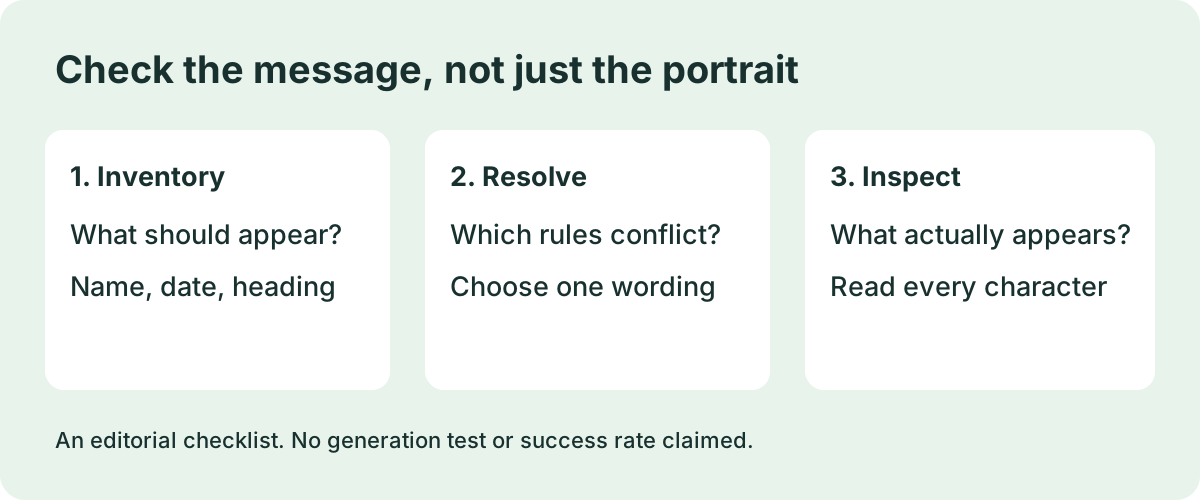
Start with a text inventory before changing the prompt. Read from beginning to end and list each requested heading, name, date, age, set of initials and inscription. Include the negative instructions: a prohibition near the end still matters when the opening paragraph requests lettering. Do not treat all text as one field.
For each field, record three things: the exact intended wording, its location, and whether it should appear at all. A name on a cake and a name at the bottom of a poster are separate placements. If the template repeats a field, compare every occurrence instead of replacing only the first match.
Resolve contradictions as an intentional adaptation. If you want a date but the source prohibits dates, decide which design you mean before generation. Either retain the original text-free design or revise the conflicting instructions consistently. Do not claim that you followed the source unchanged after adding new requirements.
Use a simple three-column review after generating: intended text, observed text, and action. Read the output character by character. Check name spelling, numerical order, missing characters, duplicated words and text that should be absent. Look at the actual cake, balloons and poster footer separately rather than approving the whole image because the portrait looks attractive.
Inspect the image at the size you plan to share. If small lettering cannot be read, mark it unreadable rather than assuming it is correct. Keep the item unresolved until you have an image you can inspect. If you edit lettering in a separate editor, review the finished export again; do not label that edited image as an untouched generation.
For an illustrative worksheet, write a fictional name such as Alex in the intended-text column and specify poster footer as the location. Leave the observed-text column blank until you have a real output. This example is a planning method, not a result from a model test. The downloaded worksheet deliberately contains no claimed successful output.
Download the blank birthday text worksheet
Questions before you share
Does every birthday prompt allow a personal name? No. The inspected text-free portrait and heading-only poster exclude names. Read the specific prompt before deciding how to personalize it.
Does asking for correct spelling guarantee correct text? No guarantee is established by the prompts we read. A requested constraint is not evidence of measured accuracy. This guide does not compare tools, report success rates or claim that the checklist improves generation quality.
What if the wording is still wrong? Keep the image out of your final selection while the text is unresolved. Choose a revision, a separate text edit or a design without lettering, then inspect the resulting image again. Document only the steps you actually performed.
Read the underlying prompt instructions
Sources were inspected on September 29, 2026. Public posts may change.